Solo coaches and coaching businesses
Your bookings, your money.
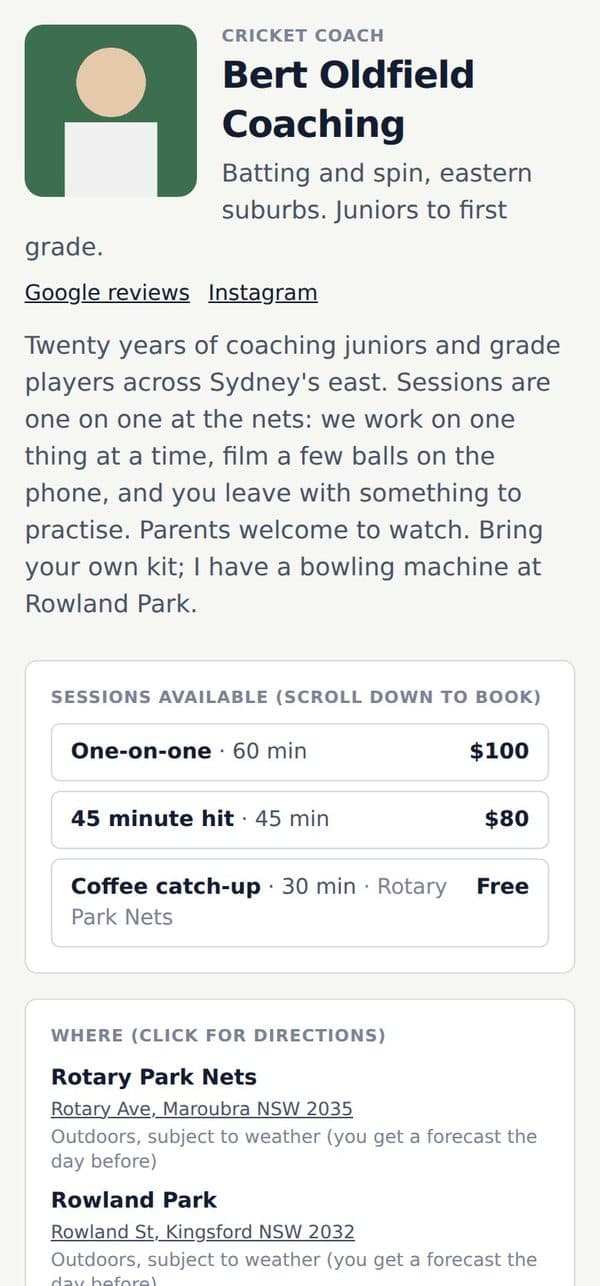
A booking page under your name, requests to your phone, one tap to accept, paid by card straight to you. Reminders and rebooks handled.


Built by cricketers, for cricket
A booking page and payments for coaches. Every net planned and texted for clubs. Trials scored from the selectors’ phones. Players need nothing but a phone that gets texts.
Six months free, whichever door you come in by. No card to begin.
Solo coaches and coaching businesses
A booking page under your name, requests to your phone, one tap to accept, paid by card straight to you. Reminders and rebooks handled.
Clubs and schools
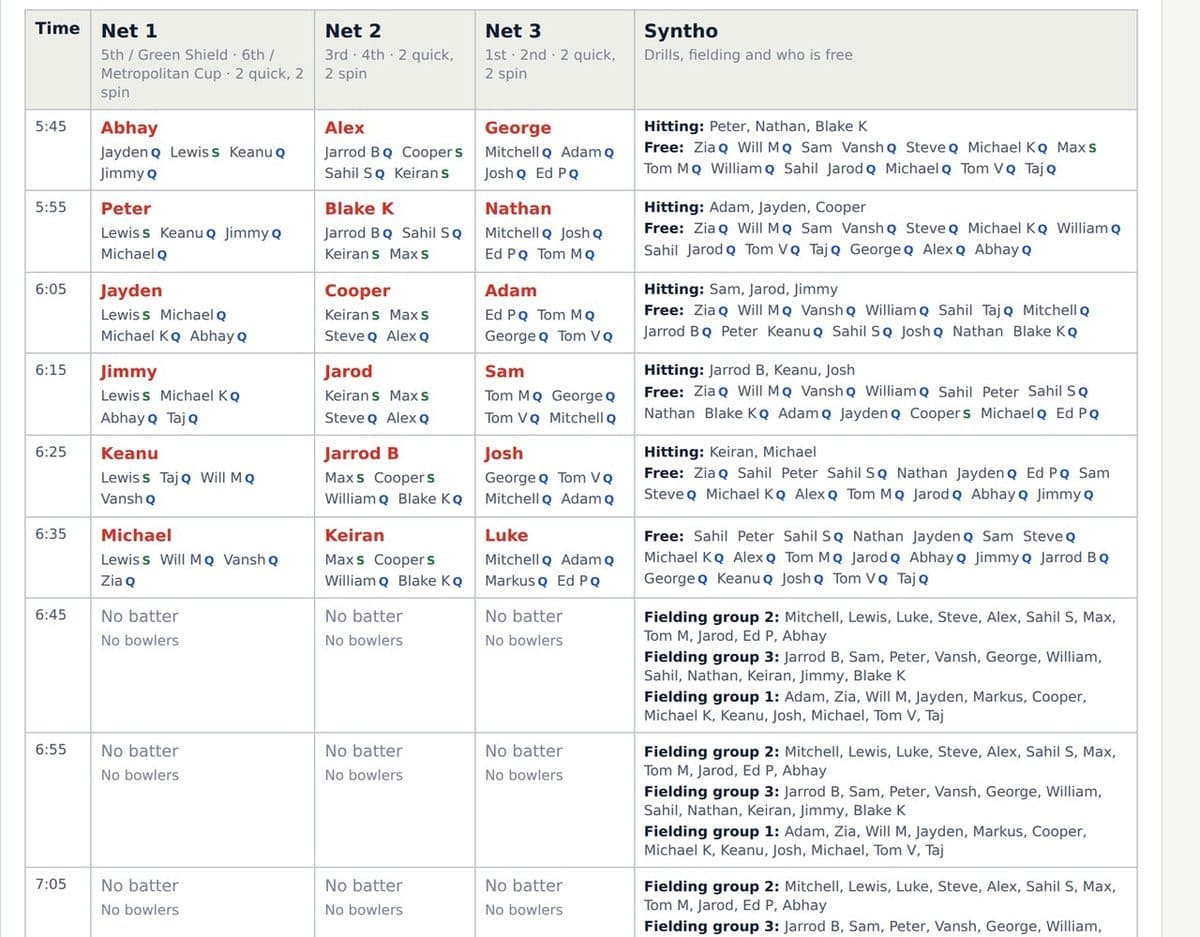
Every net planned around your teams in seconds, every player texted their times, the replies back on the plan.
Trials, county and state
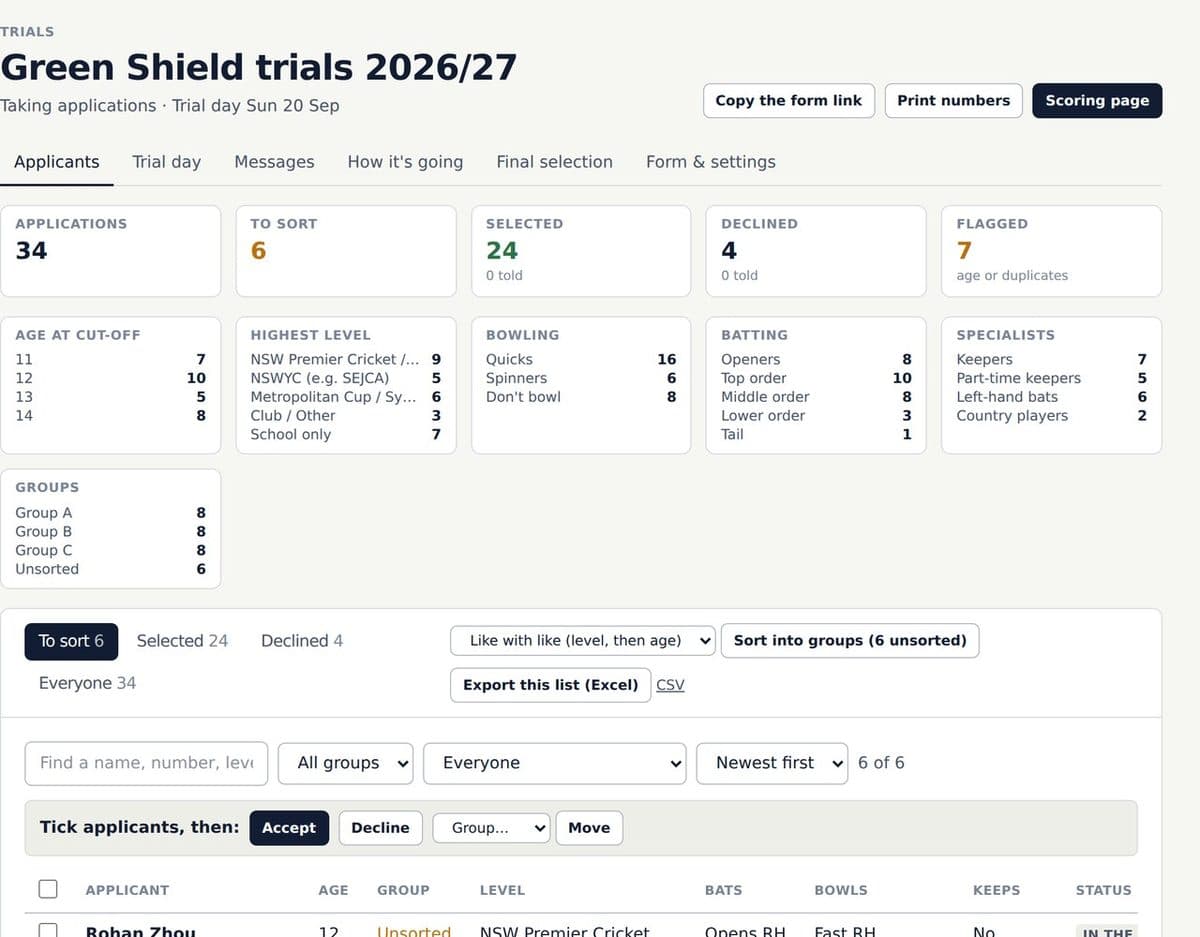
Hundreds of applicants sorted and numbered, selectors scoring on their phones, the squads texted in one go.
Solo coaches and coaching businesses
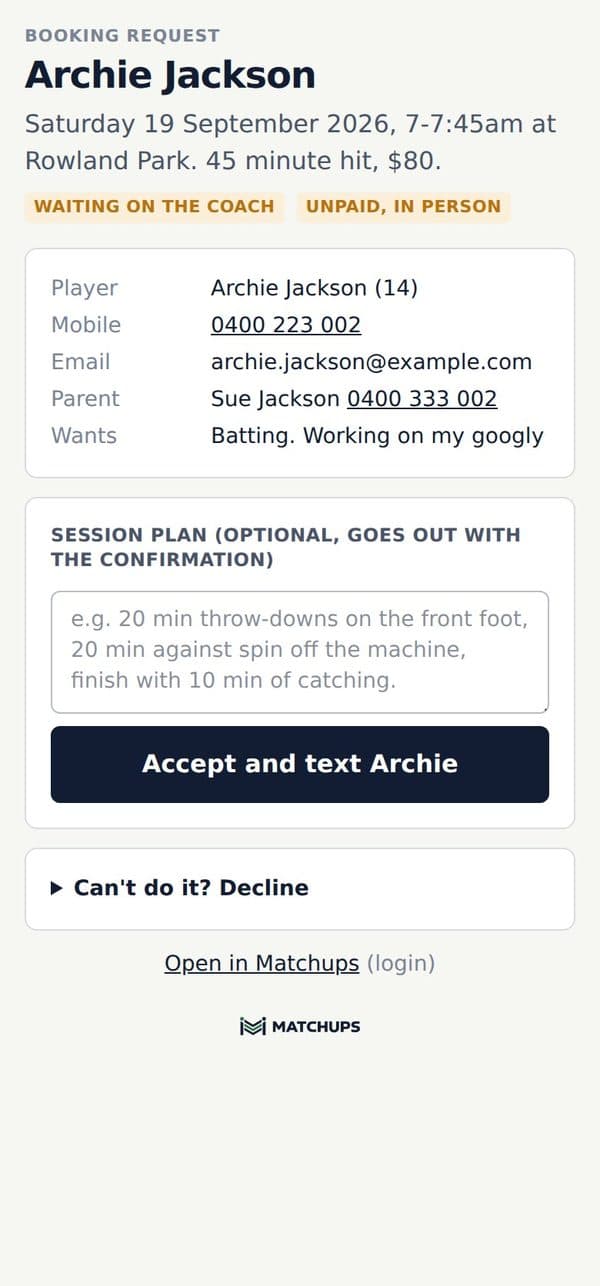
Clients pick a session, a day and a time from your hours. The request lands on your phone as a text. Tap accept and they get the confirmation, the reminder the day before, and a nudge to rebook after.
Bill Ponsford via Matchups: booked. Sat 19 Sep 7:00am at Rowland Park, 45 minute hit, $80. Pay by card or on the day: matchups.training/b/2k9pq
Reminder: 7am tomorrow at Rowland Park with Bill. Fine, 19°. Paid, thanks.
Same time next Saturday? REPEAT NEXT WEEK or BOOK ANOTHER TIME
Card through your own Stripe or Square account, bank transfer, or cash on the day. Up front or after the session, your call per session type. Matchups takes nothing on top.
Same time next week, from the booking or from the text they get after the session. Book the next one, or the next twelve; any week already taken is skipped.
The day before, by text, with the weather on it for an outdoor net. Rain about and you can move the lot in one go, with one message to everyone booked.
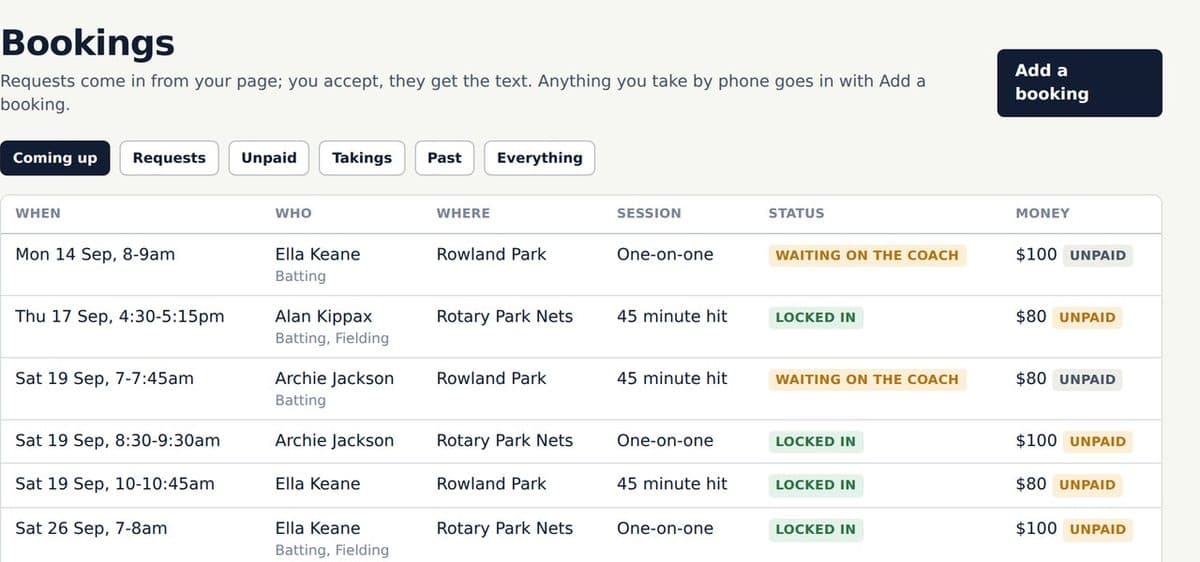
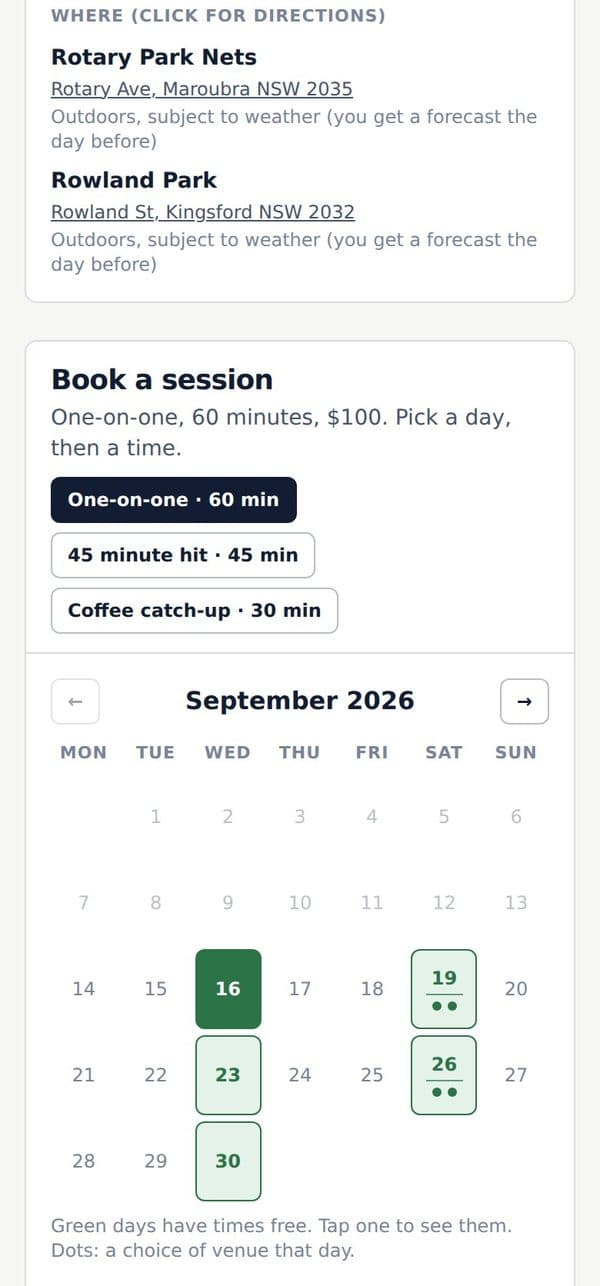
Your page, your rules. Your hours by venue, your session types and prices: a 45 minute hit, a 60 minute one-on-one, a group of four. Bio, photo, reviews and socials on one link.
For a coaching business. Every coach with their own hours and bio, nets with a limit per net, session types only some coaches take, and any-coach requests assigned from the desk. One booking page for the business.
Programs and packs. A 10-pack, a term program, a monthly membership. Credits land on the client’s account when it is paid and draw down as they book.
Your phone’s calendar. Subscribe once from Settings and every booking lands in your calendar and moves when things change.
Payments
Card through your own Stripe or Square account, bank transfer with a reference, or cash on the day. Matchups never holds the money and takes nothing on top.
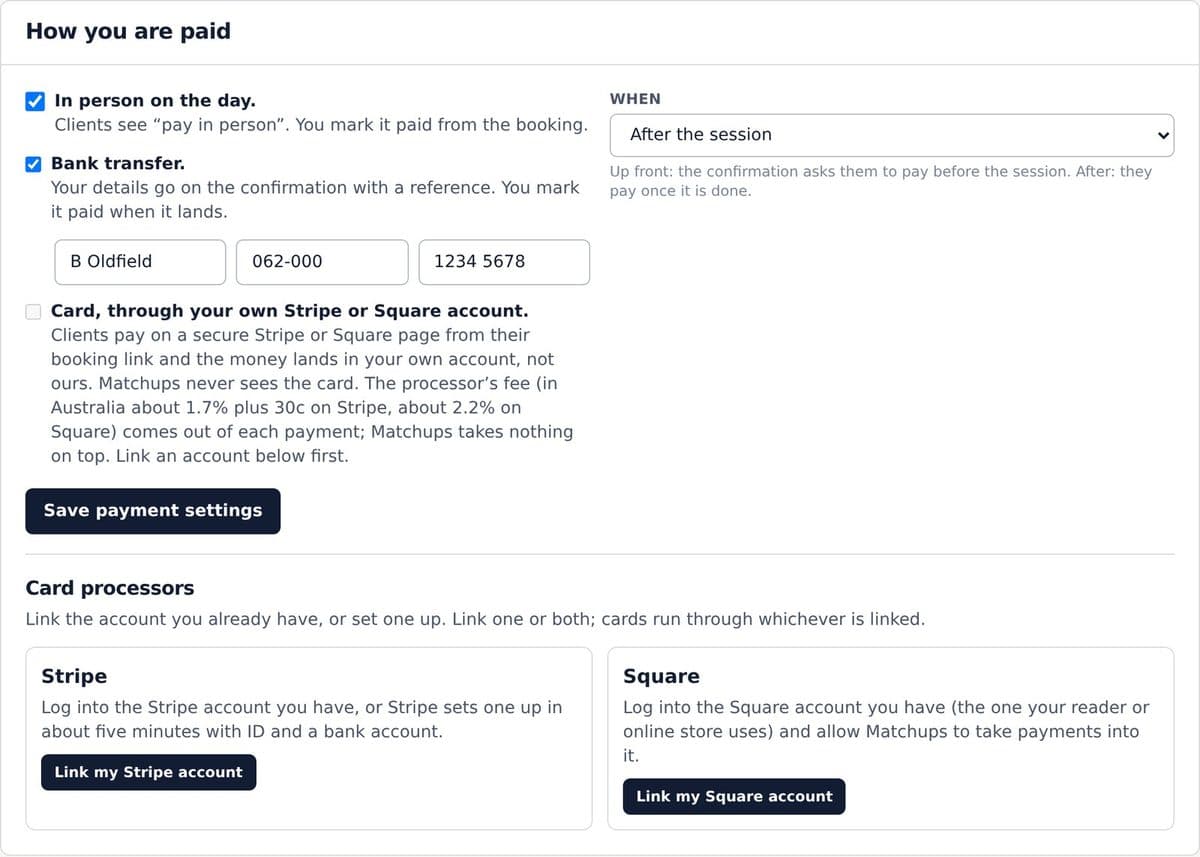
Card, straight to your account. Clients pay on a secure Stripe or Square page from their booking link. The processor’s fee comes out of each payment (in Australia about 1.7% plus 30c on Stripe, about 2.2% on Square). Matchups takes nothing on top.
Bank transfer or in person. Your details go on the confirmation with a reference. Mark it paid from the booking when it lands, or when they hand it over.
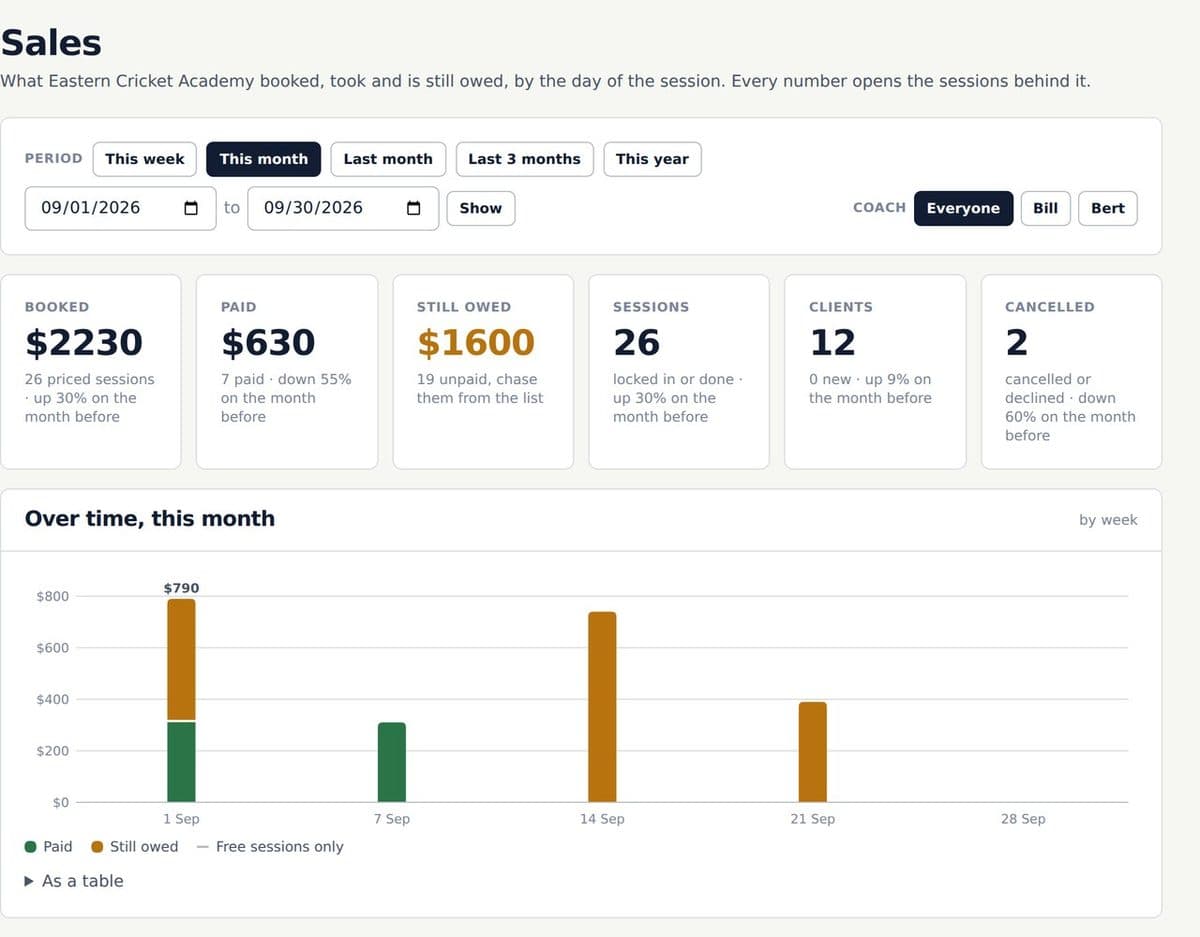
The sales desk. Booked, taken and still owed, by coach, session, venue and week. Every number opens the sessions behind it.
Up front or after. Ask for payment before the session or once it is done. Your choice, per session type. A family rate for a sibling sits on their account, never on the public page.
Clubs and schools
Names, times, who bats where, rubbed out and rewritten every Thursday. Then a text to sixty players and forty replies to sort by hand. Matchups is that whiteboard done properly: the night planned in seconds, every player texted their times, and the answers back on the plan.
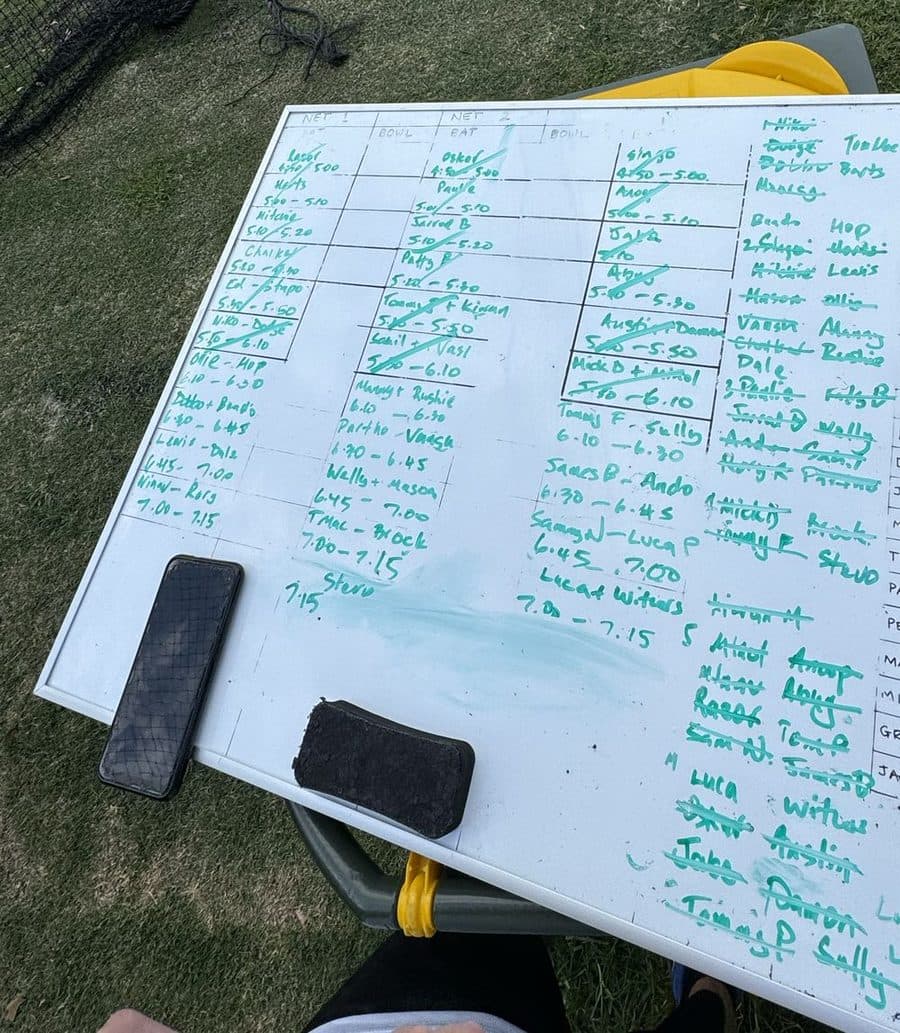
Every net, every rotation, every ball. Tell Matchups who is coming and it builds the night: team against team, best against best, everyone bats, real spells, junior limits watched. Drag anything it got wrong and the rest reflows.
Shows its working. “How Matchups built this plan” sits under every plan in a coach’s words: who faces whom and why, every spell, every cap. Trust it or overrule it.
Junior-safe by default. Age-group pace limits from each player’s date of birth, using the Cricket Australia, ECB or New Zealand Cricket tables. Flagged before the plan goes out.
Say it in a sentence. “Thursday 5:45-7:30, top 3 teams, 3 fielding groups 6:45-7:15” becomes a session and a plan. Changes work the same way: “Tom can’t make it, Raj from 6:30.”
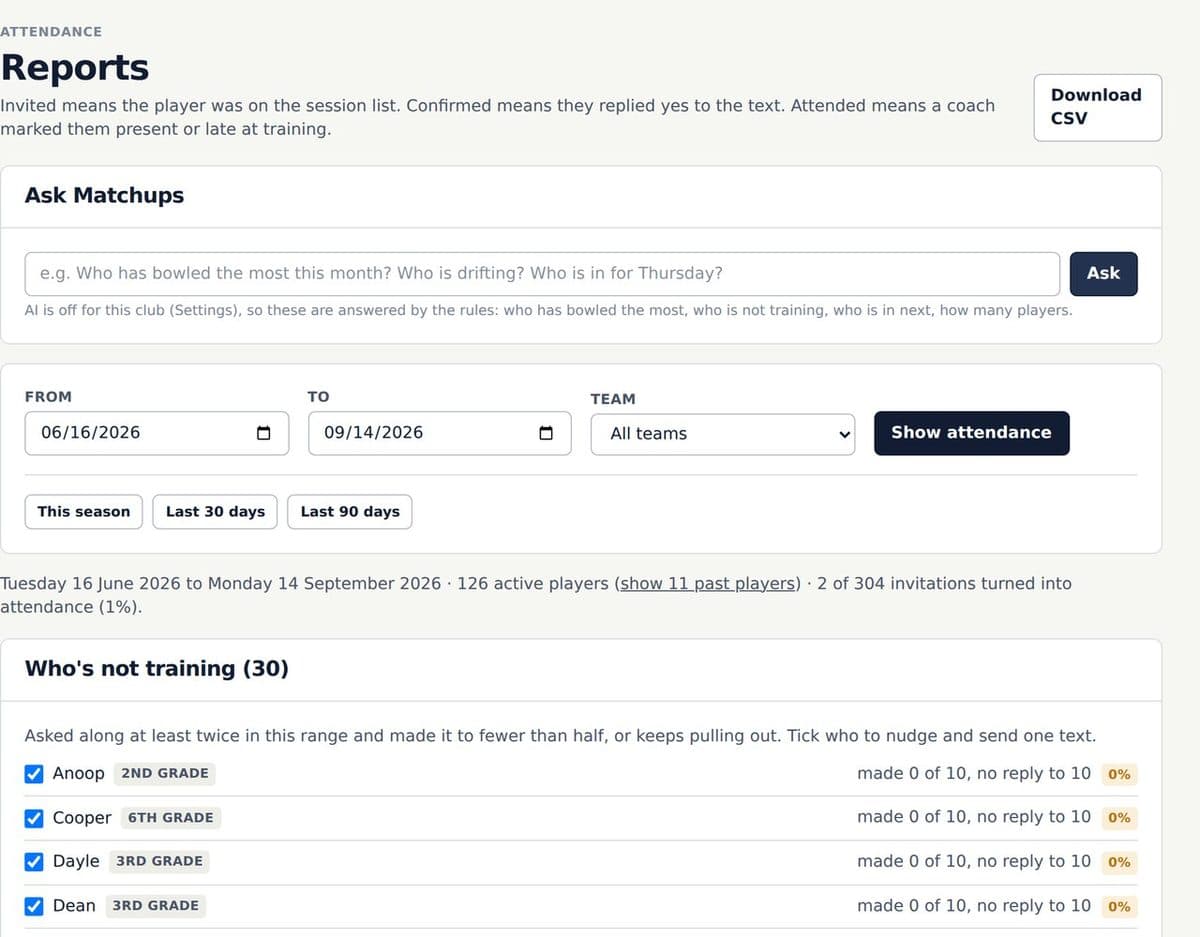
Reports. Attendance by team over any range, bowling loads from every session and match, and a “Who’s not training” list with one button to text the lot.
Kit and the rest. The kit list with sizes confirmed by text, a to-order report, and the club badge on every page a player sees.
No app for players
Their times arrive by text on the morning of training. The link confirms, pulls out or changes their time. Any phone, no download, no login, no group chat.
Pickwick training Tue 8 Sep at Windermere Road. Bat Net 1 6:00. Bowl Net 1 6:20-6:40 (about 36 balls). Field Centre Wicket 6:10-6:20. Confirm or change: matchups.training/r/xk4m2q
Pickwick: rain about, tonight moves indoors to Montague Sports. Same times. Your link still works.
Training Tuesday 8 September, nets 6:00 to 7:30, warm-up from 5:30. At Windermere Road.
When it goes out. The invite goes on the morning of training, or at 7pm the night before an early start: where they bat, where they bowl, how many balls, when they field.
The link is theirs alone. Pull out and the rotation goes to someone else. Say “there by 6:15” and their bat moves back. Anyone whose times moved gets a fresh text.
Feeling fresh or a bit tired. Quicks get two buttons. Tired means half the load in one spell, and the coaches see it on the plan.
Their standing page and calendar. Every session they are in, on one link that never changes. Add to calendar keeps their phone’s calendar right when a net time moves.
Trials, county and state
A form on your site, a pool sorted into groups, numbers on shirts, selectors scoring on their phones, and one message each way when the squads are picked.
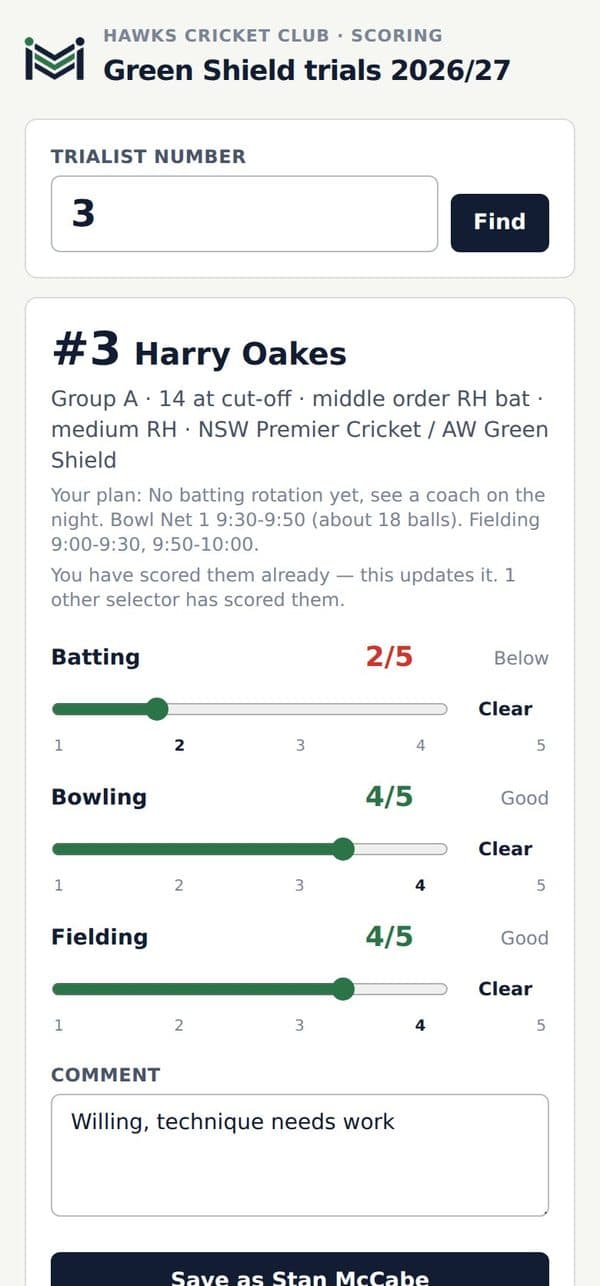
The read. Every selector’s comment summarised by group, batting and bowling: the standouts and who is worth another look. The raw comments always sit underneath.
Child safety built in. Headshots are for identification only and are removed 30 days after the trial. Only coaches with a verified Working With Children Check should hold the scoring link, and the app shows you who does.
Comms
Every message goes as a text with a link. The replies land on the session or the booking, not in your inbox, and the plan moves with them.
Pickwick training Tue 8 Sep, Windermere Road. Bat Net 1 6:00, bowl 6:20-6:40. Confirm or change: matchups.training/r/xk4m2q
Pickwick: rain about, tonight moves indoors to Montague Sports. Same times. Your link still works.
Pickwick: your bat has moved to Net 2, 6:20 tonight. Bowl 6:40-7:00. Same link.
Everyone whose times moved gets a fresh text. A cancelled or moved night texts the lot at once; a rained-out evening of coaching does the same.
Weather that acts. Rain or heat on an outdoor night prompts the move. One tap shifts it to your indoor venue and texts the whole squad.
Message the players. From the session, to everyone not marked out or to one team. “Ground is wet, nets moved to the indoor centre. Same times.”
Texts back. A player’s reply to a text lands on their page and on Home, and the coach gets it forwarded. Nothing goes missing in a group chat.
Nothing sent by accident. Every text is logged against the session or booking. Nothing is ever texted from a sentence; a person presses send.
Selection · coming
Weekly selection from who trained, who bowled what and who is available. In the works. We will tell you when it lands.
A coach is taking bookings in an afternoon. A club brings its players in from a spreadsheet and texts the first session that night.
Then $49 a month. Your booking link, your calendar, your clients, paid straight to you.
Then $99 a month. Every coach, every net, one booking page and the sales desk.
Then from $179 a month. Trials, kit and 1-1 slots on Plus, the AI reads on Pro.
Prices in Australian dollars, GST included where it applies. Yearly plans cost less. Cancel any time.